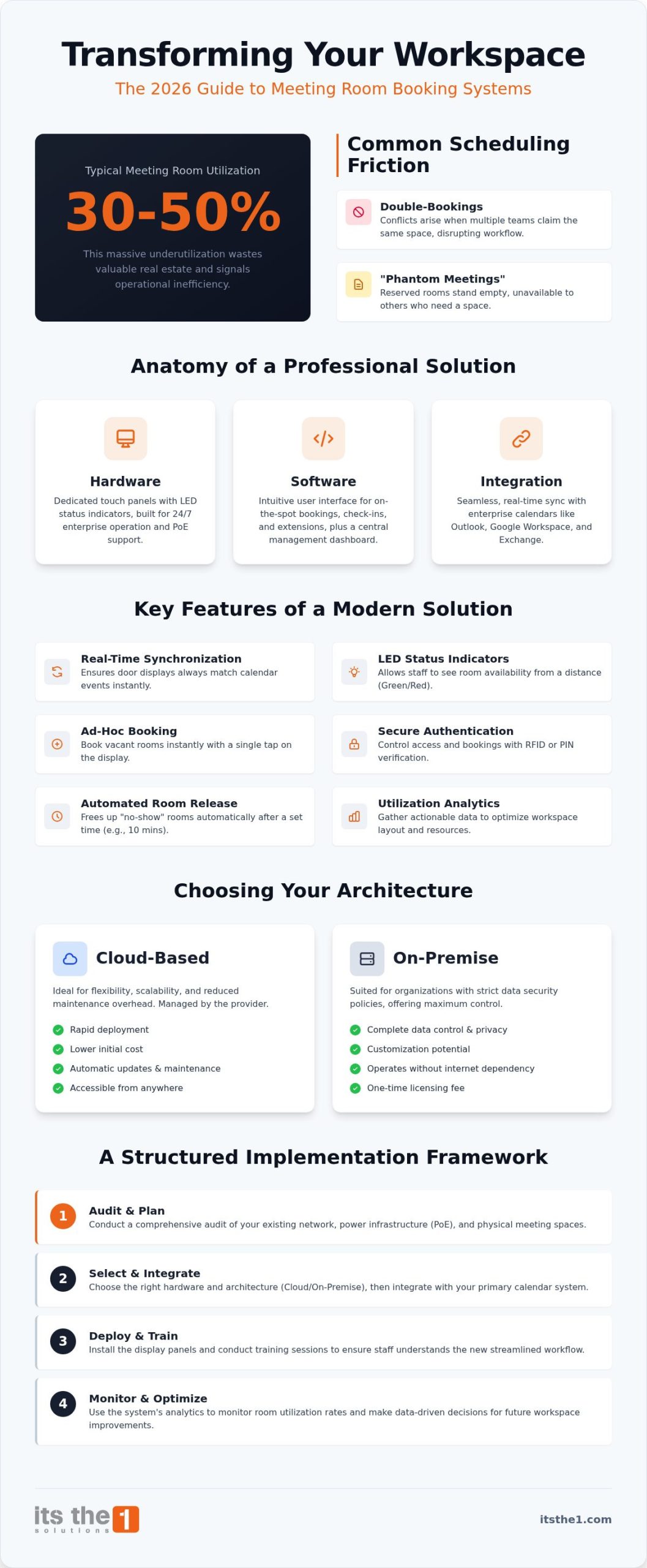
Did you know that most corporate offices utilize their meeting rooms at only 30% to 50% of their actual capacity? This significant underutilization often stems from the daily friction of double-bookings and room poaching that disrupts operational flow and leaves valuable square footage vacant. You likely recognize that a disorganized workspace doesn’t just hinder productivity; it undermines the professional image of your organization. Implementing a robust meeting room booking display system is now a foundational requirement for any enterprise aiming for true operational excellence.
This 2026 guide provides a methodical framework to help you select, integrate, and deploy a solution that transforms your office into a streamlined, automated environment. We’ll move beyond simple hardware to discuss the strategic value of professional digital signage and the necessity of cybersecurity within your digital ecosystem. You’ll discover how to leverage actionable data on room utilization rates to drive strategic growth and ensure your workspace infrastructure serves your broader business objectives with precision and reliability.
Key Takeaways
- Understand the strategic importance of synchronizing physical workspaces with digital calendars to eliminate common scheduling conflicts.
- Identify the essential features of a professional meeting room booking display system, including real-time synchronization and visual status indicators.
- Evaluate the operational advantages of cloud-based deployment versus the enhanced data control offered by on-premise architectures.
- Follow a structured implementation framework that begins with a comprehensive audit of your existing network and meeting space infrastructure.
- Explore how modular solutions like 1.DSMM integrate into a broader digital ecosystem to drive long-term workspace efficiency.
What is a Meeting Room Booking Display System?
A meeting room booking display system is a sophisticated ecosystem designed to harmonize physical corporate environments with digital administrative workflows. It’s far more than a simple screen mounted to a wall; it represents a unified architecture of hardware, software, and deep calendar integration. By acting as the physical “source of truth,” these systems provide immediate clarity on room availability, preventing the scheduling friction that often plagues high-traffic offices and hotels. When a display is active, it serves as the final authority on who owns the space at any given moment.
While some organizations attempt to use consumer-grade tablets for this purpose, these devices frequently fail in professional enterprise environments. Consumer hardware isn’t built for 24/7 operation; it often suffers from battery swelling, lack of Power over Ethernet (PoE) support, and limited security features. In contrast, dedicated panels are engineered for longevity and centralized management. This technology falls under the broader category of appointment scheduling software, but it’s specifically optimized for the unique demands of real-time occupancy tracking and workspace optimization.
The Components of a Professional Solution
A reliable system consists of three distinct yet interconnected layers that work in unison to provide a seamless experience. First, the hardware involves interactive touch panels, typically equipped with wrap-around LED status indicators. These lights allow staff to identify room availability from a distance, using green to signify a vacant space and red for an active session. Second, the software provides the intuitive user interface where employees manage check-ins, extensions, and cancellations. Finally, the integration layer serves as the critical bridge. It ensures that every action taken at the door reflects instantly within your enterprise mail server, whether you utilize Outlook, Google Workspace, or Exchange.
Why Enterprises are Moving Away from Manual Scheduling
Manual processes often lead to “phantom meetings,” where spaces remain reserved on a digital calendar but stand empty in reality. This inefficiency wastes valuable real estate and frustrates employees searching for a place to collaborate. A professional meeting room booking display system eliminates this waste by enforcing check-in requirements. If a group doesn’t arrive within a set timeframe, the system automatically releases the room for others to use. This automation reduces friction by allowing ad-hoc bookings directly at the entrance, turning a walk-up inquiry into a confirmed reservation in seconds. Beyond mere utility, these systems enhance the professional aesthetic of corporate and hotel event spaces, signaling a commitment to modern, disciplined operations.
Key Features of a Modern Booking Display Solution
A modern meeting room booking display system must do more than just show a name on a screen. It acts as a live endpoint for your digital calendar ecosystem. Real-time synchronization with Microsoft 365, Google Workspace, and Exchange ensures that every reservation made from a desktop or mobile device appears instantly at the door. This connectivity prevents the scheduling conflicts that often derail high-stakes meetings and ensures that staff always have access to the most current information.
Visibility is equally critical for operational efficiency. Professional panels utilize wrap-around LED lighting to communicate status across long corridors. Green lights signal availability, while red indicates an active session, allowing staff to navigate the floor without interrupting ongoing work. If a room is vacant, ad-hoc booking capabilities enable immediate, unscheduled huddles with a single tap. To maintain security and accountability, these systems often incorporate RFID or PIN authentication. This ensures that only authorized personnel can initiate sessions or access sensitive meeting details.
Advanced Management and Analytics
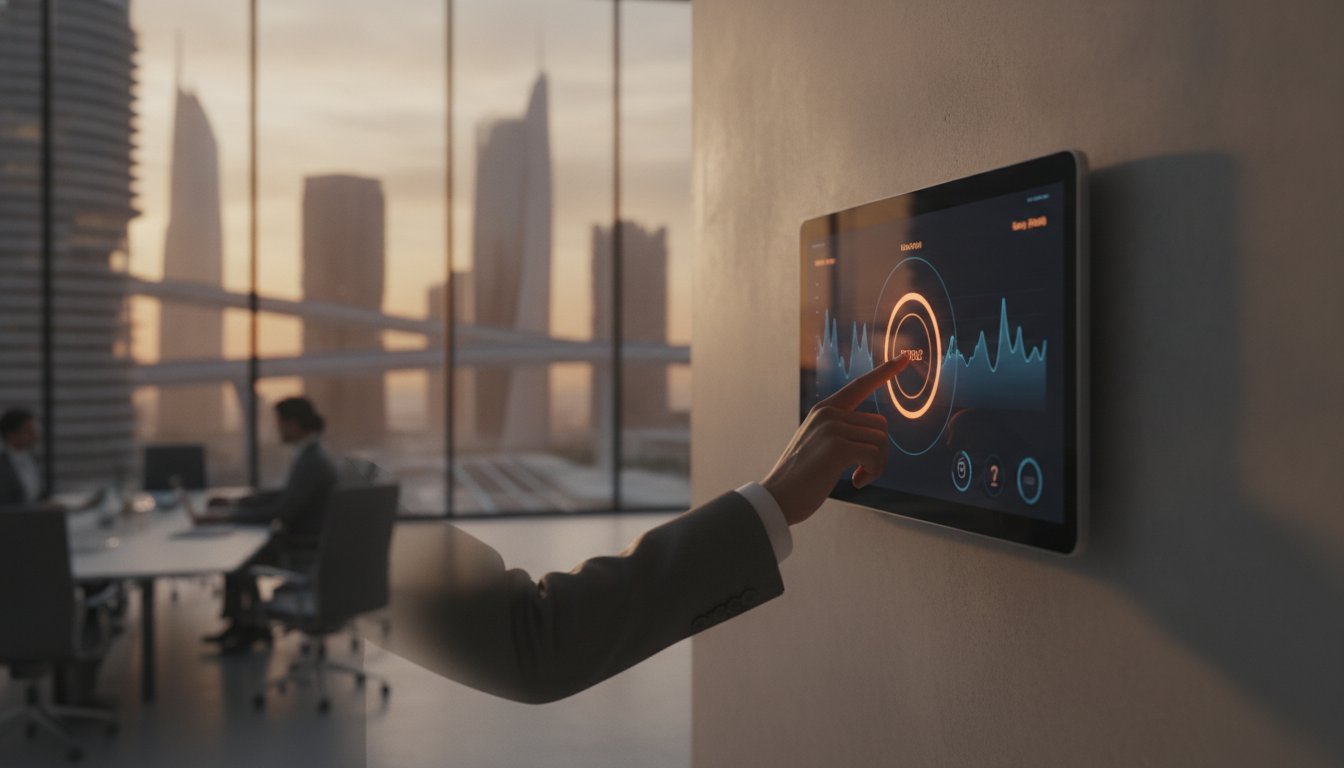
Effective office space optimization strategies rely heavily on actionable data. Advanced solutions provide a centralized dashboard to manage hundreds of displays across a global network from a single location. This oversight allows administrators to monitor utilization rates and identify which rooms are consistently over-used or left empty. One of the most impactful features for maximizing space is automated room release. If a group doesn’t check in within 10 minutes of their start time, the system cancels the booking and frees the space for others. This functionality directly addresses the fact that global office utilization currently sits at approximately 54 percent, according to JLL’s 2025 benchmark report.
Customization and Brand Alignment
Your digital signage should reflect your corporate identity. Modern systems allow for complete brand alignment, supporting custom logos, wallpapers, and multi-language interfaces for international environments. By integrating with 1.DSMM, organizations can expand these panels into broader digital signage units that communicate internal news alongside booking information. This modular approach ensures that your technology investment evolves alongside your business needs. This level of customization transforms a functional tool into a professional extension of your brand’s commitment to excellence and disciplined execution.
Cloud vs. On-Premise: Selecting the Right Architecture
Choosing the underlying architecture for a meeting room booking display system is a strategic decision. It dictates your long-term security posture and operational flexibility. Cloud-hosted solutions have become the preferred standard for organizations seeking rapid deployment and lower initial capital expenditure. These systems benefit from automated, vendor-managed updates. This ensures that your software remains current without taxing internal IT resources. This model is particularly effective for businesses that prioritize agility and want to minimize the burden of managing local servers.
On-premise solutions remain the primary choice for highly regulated industries, such as government, finance, or healthcare. This architecture offers maximum data control. It keeps all scheduling information within the corporate firewall to meet strict compliance mandates. While the upfront costs for hardware and local installation are higher, the long-term sovereignty over the environment is a critical requirement for many enterprise clients. Hybrid models are also gaining traction. They balance local performance and data residency with the convenience of cloud-based management dashboards.
When assessing the Total Cost of Ownership (TCO) for national-scale deployments, it’s essential to look beyond the initial purchase price. Cloud models often involve recurring subscription fees that scale with the number of rooms. On-premise systems require dedicated infrastructure and ongoing internal support. A thorough analysis should account for the cost of scaling from a single office to a distributed network of hundreds of locations. This ensures the chosen architecture remains financially sustainable as the organization grows.
Security Considerations for Enterprise IT
Security is a foundational element of any professional deployment. Enterprise IT teams must ensure that data is encrypted both in transit and at rest to protect sensitive meeting details. A common best practice involves network isolation. Placing IoT display devices on a dedicated VLAN prevents potential vulnerabilities in the hardware from affecting the primary corporate network. Additionally, role-based access control (RBAC) allows organizations to define precise permissions for system administrators. This ensures that only authorized personnel can modify critical configurations or access utilization data.
Scalability and Future-Proofing
A resilient system must be designed to grow alongside your business. Whether you’re managing 5 rooms or 500, the infrastructure should support seamless expansion without requiring a complete overhaul. Over-the-air (OTA) firmware updates are vital for maintaining the health of a distributed fleet. They allow for security patches and new features to be pushed remotely. Future-proofing also involves integrating with wider IoT and smart building technologies. By connecting your booking system with lighting or HVAC controls, you can create an intelligent workspace that automatically adjusts environmental settings based on room occupancy.
How to Implement Your Room Booking System: A Step-by-Step Guide
Successful deployment of a meeting room booking display system requires a methodical approach that balances technical precision with user-centric design. It isn’t merely a hardware installation; it’s a transition in how your organization manages its most valuable physical assets. To ensure a seamless rollout, follow this structured five-step framework.
- Step 1: Infrastructure Audit. Begin by evaluating your existing network capacity and physical meeting spaces. You must identify power sources and data drop points for every room intended for a display.
- Step 2: Software Selection. Choose a platform that offers native support for your specific calendar provider. Utilizing a modular solution like 1.DSMM ensures that your booking system remains a cohesive part of your wider digital signage ecosystem.
- Step 3: Hardware Specification. Select panels based on the architectural constraints of your office. Different mounting brackets are required for glass partitions, aluminum mullions, or standard drywall.
- Step 4: Security Configuration. Define your user access levels and data policies. This involves setting permissions for who can book rooms and which administrative roles can modify the system’s global settings.
- Step 5: Pilot and Training. Execute a pilot phase in a high-traffic zone to gather initial feedback. Once refined, provide comprehensive staff training to ensure employees understand how to use the new touch interfaces effectively.
Physical Installation and Cable Management
Professional installations rely on Power over Ethernet (PoE) as the primary standard. This technology allows a single cable to provide both power and high-speed data, significantly simplifying cable management. For modern offices with extensive glass walls, specialized adhesive mounts or side-profile brackets provide a clean, aesthetic finish without visible wiring. It’s also vital to consider accessibility standards during this phase. Displays should be mounted at a height that is comfortable for all users, ensuring optimal viewing angles and compliance with international accessibility guidelines.
Software Configuration and User Adoption
The technical efficacy of the system depends on its integration with your enterprise directory, such as Active Directory or LDAP. This synchronization allows employees to use their existing corporate credentials for RFID or PIN authentication at the door. During setup, you should establish clear “House Rules” within the software. These rules define maximum booking durations and advance notice requirements. High adoption rates are only achieved through clear communication. Explain the benefits of the new system to your team, focusing on how it eliminates room poaching and streamlines their daily workflow. This strategic approach transforms the technology from a simple tool into an essential component of operational excellence.
Optimising Workspace Efficiency with 1.DSMM Solutions
Achieving true workspace efficiency requires moving beyond isolated hardware toward a unified digital ecosystem. 1.DSMM, the proprietary digital signage and meeting room module from ITSthe1, provides the architectural foundation for this evolution. Unlike generic consumer-grade alternatives, 1.DSMM is engineered to function as a modular component of a larger enterprise transformation. It integrates seamlessly with 1.TV for comprehensive IPTV delivery and 1.AI to provide intelligent helper services for staff and guests. This level of interoperability ensures that your meeting room booking display system isn’t just an administrative tool; it’s a strategic asset that enhances the functionality of your entire facility.
The value of a professional implementation lies in the precision of bespoke system design. Since 1999, our approach has prioritized reliability and operational excellence, moving away from “plug-and-play” models that often lack the security and scalability required by modern businesses. By engaging in professional IT consulting, organizations can ensure their scheduling infrastructure is built on a foundation of cybersecurity and cloud-resilient architecture. Our managed IT support further guarantees 100% uptime for your critical scheduling displays, utilizing the 1.Support helpdesk module to provide proactive maintenance and immediate technical resolution across your global footprint.
A Unified Approach to Enterprise Technology
Room displays are a visible touchpoint in a much broader digital transformation strategy. When a meeting room booking display system is integrated into a cohesive ecosystem, it allows for the centralization of data and management. Leveraging our global expertise, we help organizations manage national-scale projects with a steady, disciplined execution. This includes the integration of 1.AI helpers that assist hospitality staff in managing event spaces more effectively. For hotel environments specifically, this unified approach extends beyond scheduling to encompass guest-facing solutions such as a digital menu for hotels, which transforms F&B operations into a strategic revenue engine. By using AI to analyze usage patterns, businesses can move from reactive scheduling to a predictive model that optimizes space before conflicts even arise.
Next Steps: From Consultation to Deployment
The transition to a sophisticated booking environment begins with a thorough technical audit of your current workspace infrastructure. We analyze your network capacity, power requirements, and existing calendar integrations to design a solution that fits your specific operational needs. Every 1.DSMM interface is fully customizable to match your corporate identity, ensuring that your digital signage reflects the same level of professionalism as your brand. This methodical process ensures that every deployment is purposeful and aligned with your long-term business goals.
Consult with ITSthe1 for a tailored meeting room booking solution to eliminate scheduling friction and secure your digital workspace for the future.
Advancing Your Workspace Strategy for 2026
Implementing a professional meeting room booking display system is a strategic investment in your organization’s operational maturity. It’s a move away from manual scheduling and unreliable consumer-grade hardware that eliminates the friction hindering productivity and undermining your corporate image. Success in this digital evolution depends on a methodical approach that prioritizes secure architecture, seamless calendar integration, and a commitment to long-term managed support.
ITSthe1 brings over 25 years of IT excellence to every deployment, ensuring your digital transformation is both disciplined and scalable across a global footprint. Our specialized 1.DSMM hospitality and enterprise module provides the modular flexibility needed to grow alongside your business; this is backed by comprehensive consulting and managed support to maintain 100% uptime for your critical infrastructure. Every room display serves as a physical source of truth that empowers your staff and reassures your guests.
Optimise your workspace with 1.DSMM from ITSthe1 Solutions
Your team deserves an environment that reflects your commitment to excellence. We look forward to partnering with you to create a more efficient, automated, and professional workspace that serves your broader business goals with precision.
Frequently Asked Questions
Do I need a specific type of tablet for a meeting room booking display?
Professional enterprise environments require dedicated interactive touch panels rather than consumer tablets. These devices are engineered for 24/7 operation and typically feature Power over Ethernet (PoE) along with wrap-around LED status indicators. Dedicated hardware is significantly more resilient than consumer-grade alternatives. Tablets often suffer from battery issues or lack the necessary security features for a permanent meeting room booking display system installation. Utilizing purpose-built panels ensures long-term reliability and operational stability.
Can the system integrate with both Microsoft Outlook and Google Calendar?
Professional solutions like 1.DSMM are designed to synchronize seamlessly with all major enterprise calendar providers. This includes native integration with Microsoft 365, Exchange, and Google Workspace. The integration layer acts as a bridge; it ensures that any reservation made digitally is instantly reflected on the physical display outside the room. This synchronization is essential for maintaining a single source of truth across your entire corporate office or hotel event space.
What happens if the Wi-Fi goes down? Does the display stop working?
Professional installations typically rely on Power over Ethernet (PoE) rather than Wi-Fi to ensure maximum network reliability. If the connection is lost, most high-end displays will continue to show the last synced schedule stored in their local cache. However, real-time updates and ad-hoc bookings will be paused until connectivity is restored. Using a hardwired connection is a standard best practice for any critical meeting room booking display system to prevent such interruptions.
How much does a meeting room booking display system cost to implement?
The total cost of ownership for a professional system depends on several variables including the number of rooms and the chosen architecture. Organizations must account for hardware acquisition, software licensing, and the fees associated with professional installation and network configuration. While consumer-grade “plug-and-play” options might appear cheaper initially, enterprise-grade systems offer better long-term value. They provide higher uptime, superior security, and deeper integration with your existing IT infrastructure.
Is it possible to book a room directly from the display panel?
Ad-hoc booking is a core feature of modern interactive panels. Staff can check real-time availability and reserve a vacant room for an immediate huddle with a single tap on the screen. To maintain security and accountability, these systems can require RFID or PIN authentication before a booking is confirmed. This functionality reduces the friction of finding a collaborative space and ensures that spontaneous meetings are accurately tracked within the organization’s central calendar.
Can we use the displays for general company announcements when not in use?
Many professional systems allow panels to double as digital signage units for internal communications when they aren’t actively being used. The display can rotate through corporate announcements, news, or branding wallpapers during idle periods. By integrating with modules like 1.DSMM, your room displays become part of a broader communication strategy. This maximizes the utility of your hardware and ensures that your technology investment serves multiple operational and branding objectives.
How does automated room release help with “no-show” meetings?
Automated room release is a critical feature for optimizing workspace efficiency. If a meeting is booked but no one checks in at the physical panel within a predefined window, the system automatically cancels the reservation. This releases the room back into the pool of available resources for other employees to utilize. This automation directly addresses the common problem of “phantom meetings” and significantly improves overall room utilization rates across the entire facility.
What security measures should be in place for room booking hardware?
Enterprise-grade security requires several layers of protection for scheduling hardware. IT teams should implement network isolation by placing display devices on a dedicated VLAN. Data must be encrypted both in transit and at rest to protect sensitive meeting information. Using role-based access control (RBAC) ensures that only authorized administrators can modify system settings. Professional systems also support secure authentication methods like RFID to verify the identity of anyone booking a room at the panel.