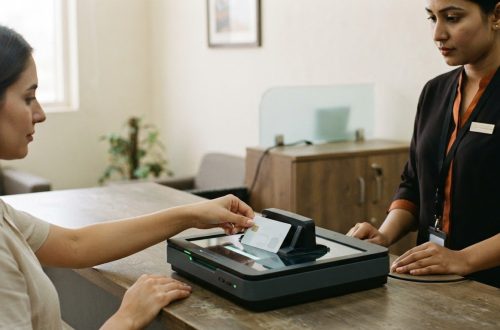
A hotel IT checklist is useful only when it reflects how the property operates. A hotel IT support checklist should cover the connections between guest Wi-Fi, payment systems, reservations, staff tools and other essential services. A fault in one area can affect guest service and daily workflows, while checks without a clear owner can leave issues unresolved.
This guide outlines practical areas to review, from network access and account permissions to backups, telephony and hospitality integrations. It also explains how to assign responsibility, record findings and set escalation steps. Use the checklist to keep technology oversight consistent, then consider whether structured maintenance and service-level agreements could support your team’s approach.
Key Takeaways
- Use a hotel IT support checklist to organise repeatable reviews of hotel systems, support responsibilities and open issues.
- Group checks by system, including connectivity, access controls, backups, recovery arrangements and telephony.
- Record an owner, review date, result and follow-up action for each check to clarify accountability and priorities.
- Use a consistent support process, and treat structured maintenance as a complement to the checklist, not a replacement for technical support.
Hotel IT support checklist: what it covers and why it matters
An IT support checklist is a repeatable review of a hotel’s technology, the people responsible for supporting it and any issues awaiting action. Unlike a general hotel operations list, which may cover room readiness or service procedures, it focuses on the systems and support processes behind those activities. A well-scoped hotel IT support checklist shows what has been reviewed, who owns the follow-up and where unresolved risks remain.
Use the checklist for routine oversight, not as a substitute for technical diagnosis or incident response. If a system fails or a security concern arises, staff should follow the hotel’s escalation process and involve the appropriate technical support. The checklist gives teams a structured view of the hotel’s IT infrastructure, but it does not diagnose faults or resolve active incidents.
Which hotel systems belong on an IT support checklist?
Start with the systems the property uses and the way its teams work. Include relevant categories such as:
- Network and Wi-Fi: Guest connectivity and the network services used for hotel operations. Note which areas or tasks depend on each connection.
- Property systems: Reservation, property management and point-of-sale platforms, where used. Record key dependencies and the route for reporting faults.
- Telephony: Staff and guest communication services. Identify the functions the team relies on and how to report a loss of service.
- Cybersecurity: Account access, security tools and network safeguards. Assign responsibility for reviewing access and raising concerns.
- Data recovery: Backup arrangements and the documented steps for restoring important information.
- Hospitality IPTV: Include IPTV when it is part of the property’s technology environment, along with any relevant system dependencies.
These categories are a starting point, not a fixed inventory. Tailor the checklist to the hotel’s actual systems, integrations and operating model. For each item, record what to review, who is responsible and what evidence or result should be captured. This makes the checklist easier to use and helps prevent important components from being overlooked.
Hotel IT support checklist: practical checks for networks, security, and recovery
Make each check observable so staff can record a clear result rather than a general impression. For example, note whether essential network services are reachable in the areas that rely on them, whether account access matches current responsibilities and whether backup records show the expected status. Routine reviews can flag issues for follow-up. Assign specialist testing and technical remediation to appropriate support rather than treating them as simple tick-box tasks.
- Network connectivity: Record whether essential wired and Wi-Fi services are available. Note the affected area, system and operational impact when a connection is unavailable or unreliable.
- Access and security controls: Review who has access to relevant systems and flag accounts or controls that need attention. For broader context, see this guide to enterprise cybersecurity.
- Backups and recovery: Log the latest backup status and note whether recovery arrangements need review or specialist testing. Keep the follow-up with the person responsible for the system.
- Telephony: Note whether relevant lines and communication functions are operating as expected, and record any service impact.
For every item, capture the responsible role, review date, result and next action. If a check fails, describe the issue in concrete terms, such as which service is affected and what staff cannot complete. This creates a traceable record and helps the team prioritise open work.
How should hotel teams record and escalate IT issues?
For each issue, log the affected system, operational impact, owner, current status and next action. Use the hotel’s agreed escalation route, taking account of urgency and service impact. For instance, an issue affecting an essential hotel operation should be escalated promptly, while a lower-impact finding can be assigned for planned follow-up. For connected guest technology, consult guidance on hotel IPTV and PMS integration. Structured network maintenance and service-level agreements can support ongoing reviews. Explore hotel IT support options.
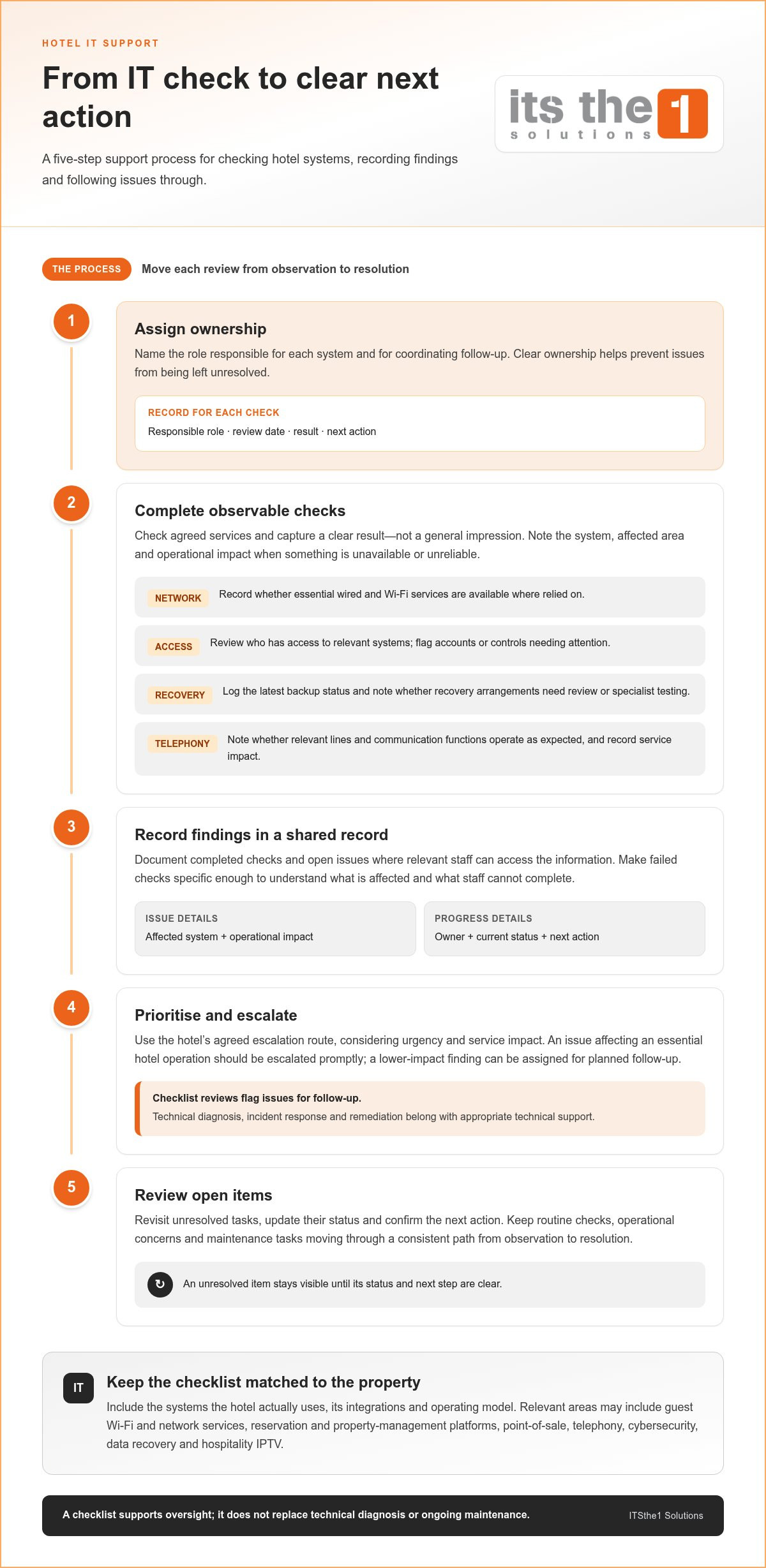
Turn the hotel IT support checklist into a dependable support process
A hotel IT support checklist is useful when every review leads to a clear next step. Give routine checks, operational concerns and maintenance tasks a consistent path from observation to resolution:
- Assign ownership: Name the role responsible for each system and for coordinating follow-up.
- Complete checks: Carry out the agreed reviews and note anything that needs specialist attention.
- Record findings: Document results and open issues in a shared record that relevant staff can access.
- Prioritise action: Consider operational impact and urgency when assigning next steps.
- Review open items: Revisit unresolved tasks, update their status and confirm the next action.
A checklist supports oversight, but it does not replace technical diagnosis, incident response or ongoing maintenance. It helps teams track what needs attention; technical support handles work that requires deeper investigation, remediation or planned network maintenance. Keeping that distinction clear helps staff escalate faults instead of treating every issue as a routine check.
When should a hotel consider ongoing IT network maintenance?
Recurring network issues, unclear ownership or maintenance tasks that remain unresolved may indicate that periodic checks need a more structured support arrangement. ITSthe1 Solutions provides an Annual IT Network Maintenance Contract with Service Level Agreements for ongoing network support. Use the checklist to identify priorities and bring them into a support process aligned with the hotel’s operational needs. To discuss your requirements, explore ITSthe1 Solutions’ technology solutions.
Make hotel IT oversight part of operational planning
A hotel IT support checklist is most valuable when it stays current as the property’s systems and workflows change. Set a recurring time to review it with the people responsible for technology and hotel operations. After a system upgrade, integration change or shift in responsibilities, update the relevant checks and ownership details. This keeps technology oversight connected to the property’s priorities instead of leaving the checklist as a document that is completed and filed away.
When internal checks need a more structured support framework, ITSthe1’s IT and hospitality technology solutions can complement your team’s processes. Explore ITSthe1’s IT and hospitality technology solutions to discuss an approach that fits your operational needs. Clear ownership and an adaptable plan help your hotel manage the technology that staff and guests rely on.
Frequently Asked Questions
What should be included in a hotel IT support checklist?
Cover the technology the property depends on and the information staff need to act on each check. Alongside system reviews, note key dependencies, such as which guest or staff services rely on a particular network connection. Include the responsible role, result and follow-up action for each item. Keep the checklist aligned with the current setup, and update it when systems or responsibilities change.
How often should a hotel review its IT support checklist?
Set a recurring review schedule that reflects the property’s systems, operational risks and available staff. Revisit the checklist after a system upgrade, a supplier change or a technology incident, since these events can make existing checks or ownership details outdated. The key is to maintain a dependable review cadence rather than waiting for a problem to expose gaps.
Can a hotel IT checklist help prevent technology disruptions?
A checklist cannot prevent every outage, but it can help teams spot warning signs and follow up before they affect hotel services. For example, recording repeated connectivity issues in one area gives the team a specific finding to investigate. The checklist is valuable when findings are reviewed and acted on, not simply marked as complete.
What is the difference between an IT checklist and an IT maintenance contract?
A checklist is a working tool for reviewing technology and tracking findings. An IT maintenance contract establishes an ongoing support arrangement, with service-level agreements providing a framework for the work. ITSthe1’s Annual IT Network Maintenance Contract with Service Level Agreements is an option for network support. The checklist can help the hotel identify priorities to address through that arrangement.