What should hotel digital signage solutions include to serve guests and staff effectively? A lobby screen can welcome visitors, but it will not meet every communication need across a property. Each display needs a clear purpose, useful content, and an owner responsible for keeping information accurate. Start by identifying where guests need information or direction, then decide what each screen should help them do.
This guide explains how to match signage to hotel spaces, assess project requirements, and plan content ownership and maintenance. It also introduces ITSthe1 Solutions’ 1.DS Digital Signage Solutions, which include information and self-service kiosks, interactive directories and way-finding, meeting room displays, video walls, and digital menu boards. Use the steps below to build a focused scope around your property’s communication priorities.
Key Takeaways
- Give each display a defined guest or staff communication purpose before choosing its location.
- Assess hotel digital signage solutions by mapping objectives, locations, content owners, display types, and maintenance responsibilities.
- Separate confirmed project requirements from assumptions about networks, integrations, and hardware.
- Match signage options from ITSthe1’s 1.DS to priority spaces, including kiosks, way-finding, meeting room displays, and digital menu boards.
Hotel Digital Signage Solutions: Match Screen Roles to Guest Needs
Hotel digital signage uses screens to share information, support way-finding, and communicate property messages. Before choosing a display, answer three questions: who needs the message, where do they need it, and what should they understand or find? These answers give every screen a practical role instead of making signage a collection of unrelated displays. For a broader overview of the medium and its applications, see the Digital Signage Overview.
Which hotel spaces are suited to digital signage?
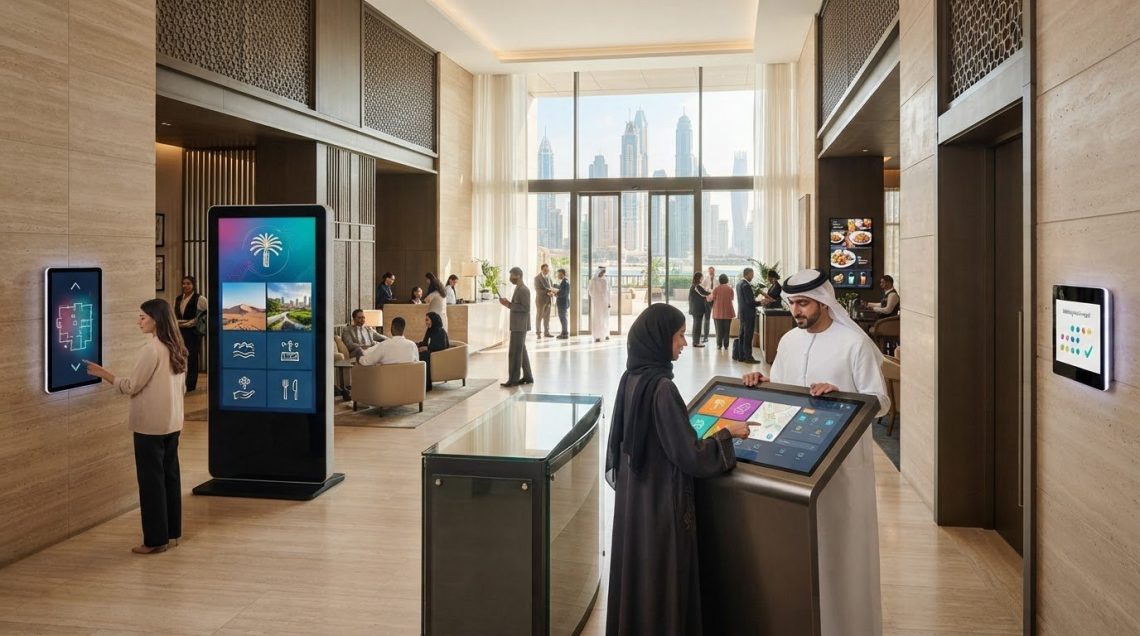
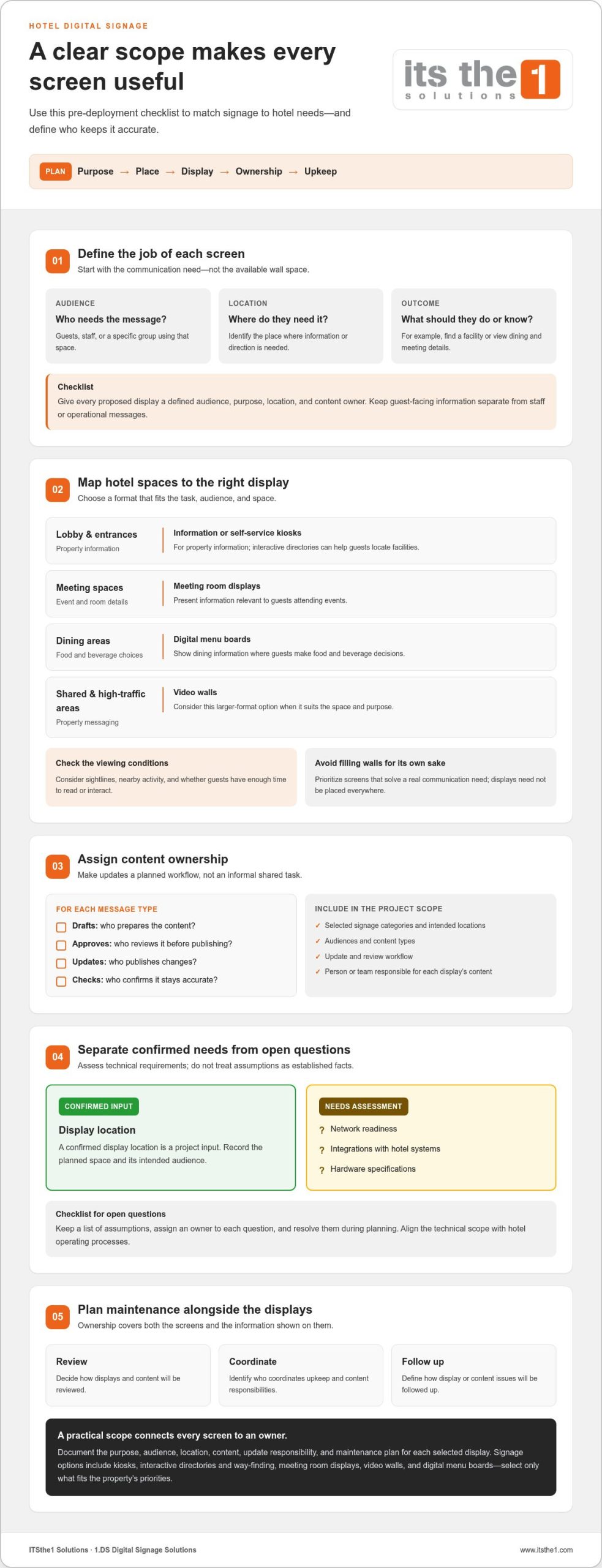
Begin with places where guests commonly need information or directions. Match the display category to the task, the audience, and how long people are likely to spend in that space. A lobby may benefit from an information kiosk or interactive directory. Meeting areas can use meeting room displays, while dining spaces can use digital menu boards. The goal is to solve a communication need, not to fill every available wall.
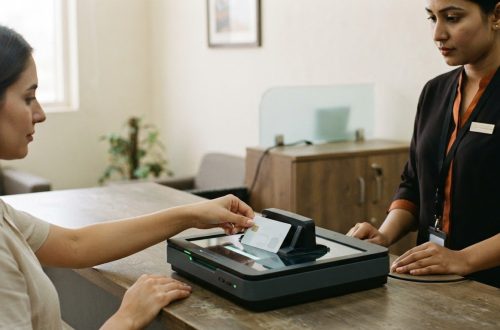
- Lobby and entrances: Consider information kiosks for property information or interactive directories to help guests locate facilities.
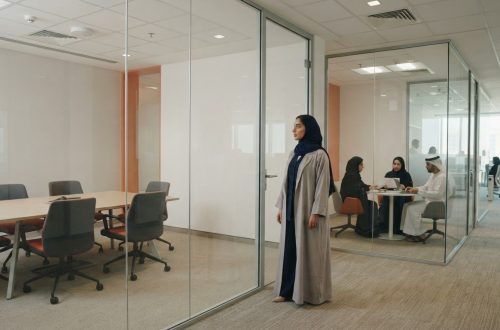
- Meeting spaces: Use meeting room displays for information relevant to guests attending events.
- Dining areas: Digital menu boards can present dining information where guests make food and beverage decisions.
- Shared or high-traffic areas: Video walls may suit property messaging when a larger-format display fits the space and purpose.
When comparing locations, consider sightlines, nearby activity, and whether guests will have enough time to read or interact with the content. Keep guest-facing information separate from staff or operational messages. For each proposed screen, document its audience, purpose, location, and content owner. This makes it easier to avoid competing messages and gives the project team a clear starting point. For software considerations that support this planning, consult the hotel digital signage software guide.
How to Evaluate Hotel Digital Signage Solutions Before Deployment
A clear scope helps you compare hotel digital signage solutions against the property’s day-to-day needs. Work through these decisions before selecting display categories or planning installation:
- Define objectives: State what each screen should help people do, such as find a facility, view dining information, or see meeting room details.
- Map locations: Record where each display is planned, who will use it, and what viewing conditions matter in that space.
- Assign content owners: Identify who prepares, approves, updates, and reviews each type of message.
- Choose display categories: Match each communication task to an appropriate option, such as a kiosk, directory, meeting room display, video wall, or digital menu board.
- Plan maintenance: Decide how displays and content will be reviewed, who coordinates upkeep, and how issues will be followed up.
What should a hotel signage project scope cover?
Include the selected signage categories, intended locations, audiences, content types, and an update workflow. For example, a scope might cover information kiosks in the lobby, interactive directories for way-finding, meeting room displays, and digital menu boards. For each message type, agree who drafts it, who approves it, who publishes updates, and who checks that it remains accurate. Assigning these responsibilities early avoids leaving content updates as an informal task shared across teams.
Separate known requirements from assumptions. A confirmed display location is a project input. Network readiness, integrations with hotel systems, and hardware specifications need to be assessed rather than treated as established facts. Keep a list of open questions, assign an owner to each, and resolve them during planning. This helps align the technical scope with the hotel’s operating processes without building decisions around unverified assumptions.
For meeting-space planning, consider these hotel meeting room signage examples. A project tailored to your property’s priorities can also be explored through ITSthe1’s digital signage solutions.
Plan a Tailored Hotel Signage Solution with ITSthe1’s 1.DS
ITSthe1 provides 1.DS Digital Signage Solutions for hotels planning guest and staff communications across different spaces. Its signage categories include information and self-service kiosks, interactive directories and way-finding, video walls, meeting room displays, and digital menu boards. Select options according to the message, audience, and location rather than treating every display as interchangeable. The solution can be tailored to the hotel’s requirements and brand standards.
For example, a hotel’s initial scope might include:
- Lobby: Information or self-service kiosks for property information, or interactive directories and way-finding.
- Meeting areas: Meeting room displays for relevant event and room information.
- Dining spaces: Digital menu boards for food and beverage information.
- Shared areas: Video walls for property messaging where that format suits the space.
These are options to assess, not a requirement to install every category. Prioritize them by location and audience, then document the purpose of each display, the content it will carry, and the person or team responsible for it. Include signage maintenance in the project scope so upkeep and ownership are considered alongside the initial plan. ITSthe1’s digital signage offering also includes digital signage maintenance contracts.
From signage requirements to a practical project discussion
Prepare a concise project brief with the priority spaces, intended audiences, content owners, and signage categories that fit each need. Note operational or technical assumptions separately from established requirements. Include any decisions still to be made, such as who approves content or how often it needs review. This creates a practical starting point for shaping a scope around the hotel’s objectives.
To discuss a tailored project scope, Discuss your hotel digital signage requirements with ITSthe1.
Turn Your Signage Priorities into a Clear Next Step
Start by choosing the guest journey or communication need your hotel wants to address first. Identify the relevant locations, the information guests or staff need there, and who will keep that information current. A phased approach can help keep decisions focused while leaving room to refine the scope as priorities develop.
ITSthe1’s 1.DS Digital Signage Solutions include way-finding, meeting room displays, kiosks, video walls, and digital menu boards. Match these categories to your hotel’s spaces and communication objectives, then plan content ownership and maintenance as part of the project.
Explore a tailored hotel signage project with ITSthe1 and discuss a practical scope for your property.
Frequently Asked Questions
Can hotel digital signage use existing displays?
It depends on the display’s condition and whether it suits the intended signage use. Start by recording each screen’s location, current purpose, available connections, and who uses it. Compare that inventory with the project requirements, including the content and viewing experience planned for each location. Assess screens individually rather than assuming every existing display is suitable.
How often should hotels update digital signage content?
Update content when the information changes, and set a regular review for messages that remain in place. For example, revise event details when schedules change and review dining or amenity information when operating arrangements are updated. A scheduled check also helps your team identify expired promotions or announcements before guests see them.
Does hotel digital signage need a content management system?
A content management system may help organise signage when a property has multiple displays or message types. Before deciding, map how content will be prepared, approved, published, and reviewed. For a limited setup, first define a reliable update process and assess whether a dedicated system would make that workflow easier to manage.
Can hotel digital signage support both guest and staff communication?
Yes. Plan separate messages and locations for each audience so guests see relevant information and staff notices stay in appropriate areas. Avoid displaying internal or sensitive information where guests can see it. Assign a content owner and review process for each message type to help keep communications accurate and suitable for its audience.