The longest feature list won’t necessarily deliver the best fit for your hotel. Choosing digital menu software for hotels means finding a solution that works for your guests, your existing technology and the teams responsible for keeping content current. To compare options fairly, separate what you need the menu to do from features that are optional, then verify integration claims against the systems your hotel actually uses.
This guide covers practical criteria for assessing guest usability, content management and system compatibility. It also suggests questions to ask about product scope and ongoing responsibilities before you decide. ITSthe1 Solutions lists 1.Menu as a digital menu option. Its specific features and fit should be confirmed directly with the provider, using your hotel’s requirements as a checklist.
Key Takeaways
- Decide whether you need menu presentation and content management, ordering or payment functions, or separate point-of-sale and loyalty systems.
- Assess digital menu software for hotels by testing guest usability, accessibility, editing workflows and the staff effort required to keep content accurate.
- List the hotel systems that may need to connect, and ask providers to confirm compatibility and clarify who owns and updates menu content.
- Compare providers against the same requirements, then use a tailored demonstration to check how the proposed solution would work, including the scope of 1.Menu.
What should hotel digital menu software do for guests and staff?
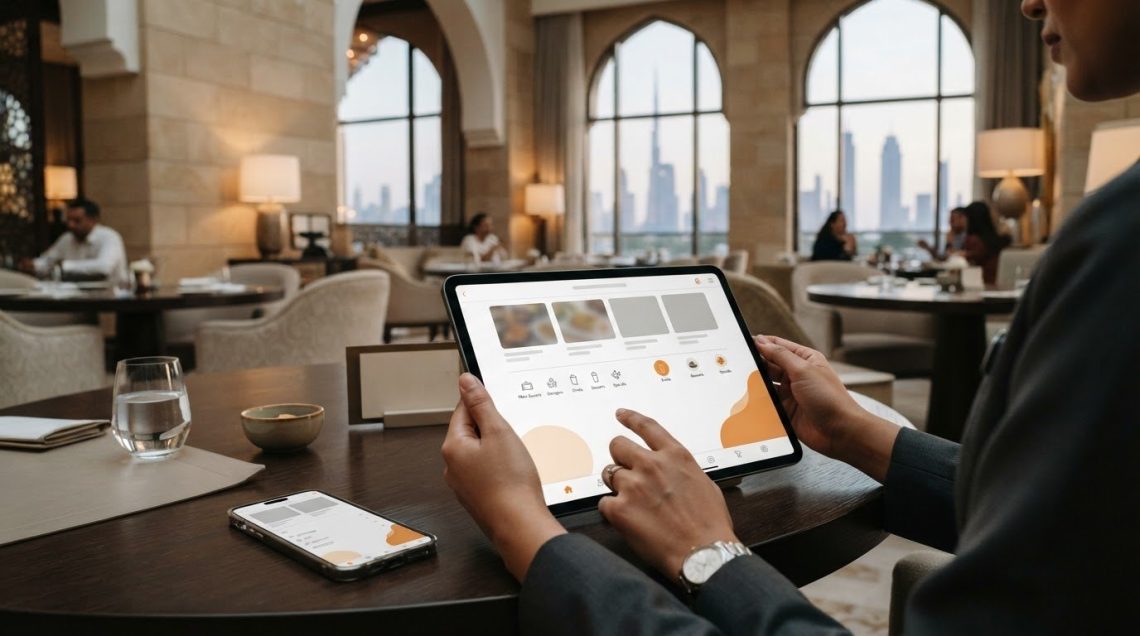
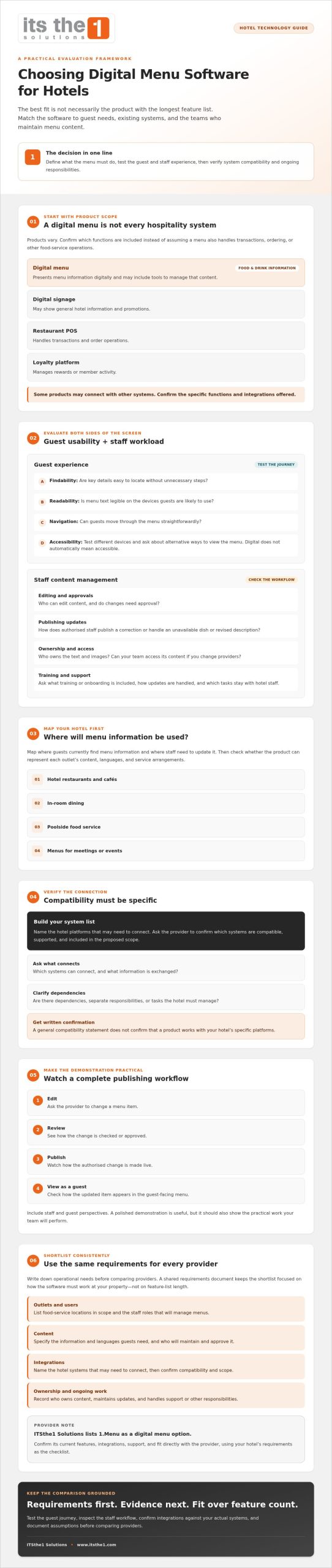
Hotel digital menu software presents menu information digitally and may provide tools to manage that content. Guests need to find relevant details easily, while staff need a workable process for maintaining dish descriptions, prices and availability. Product scope varies, so check exactly what is included rather than assuming the software also handles ordering, payments or other food-service operations.
A digital menu is not automatically the same as digital signage, a restaurant point-of-sale (POS) system or a loyalty platform. Signage may show general hotel information and promotions; a menu focuses on food and drink choices. A POS system handles transactions and order operations, while a loyalty platform manages rewards or member activity. Some products may connect with these systems, but confirm the specific functions and integrations offered. Guests might access a menu by scanning a QR code with a smartphone, or through another display method the provider supports.
For guests, a well-organised menu can make information easier to find and read. Check that the text is legible on the devices guests are likely to use, that navigation is straightforward and that key details are easy to locate. Don’t assume a digital format is automatically accessible: test the guest journey and ask how the menu works for people using different devices or needing an alternative way to view it.
Which hotel services can benefit from a digital menu?
Possible touchpoints include hotel restaurants and cafés, in-room dining, poolside food service, and menus for meetings or events. Start by mapping where guests currently find menu information and where staff need to update it. Then ask whether the product can represent each outlet’s content, languages and service arrangements, and which tasks staff would handle. ITSthe1 lists 1.Menu as a digital menu option; ask the provider to confirm its current scope and capabilities for the outlets you have identified.
How to evaluate hotel digital menu software before choosing a provider
Assess the work behind the guest-facing menu, not only the finished screen. Ask who can edit content, whether changes need approval, and how authorised staff publish a correction. Find out how the menu handles routine changes, such as an unavailable dish or a revised description. Clarify who owns the text and images, and whether your team can access its content if you change providers. These details help reveal the day-to-day workload before you commit.
Test usability on the devices guests are likely to use. Check whether menu text is readable, navigation is clear and important information is easy to find without unnecessary steps. Hospitality technology can enhance guest experiences when it supports real guest needs, so include staff and guest perspectives in your evaluation. A polished demonstration is useful, but it should also show the practical tasks your team will perform.
What questions should a hotel ask during a software demonstration?
Ask the provider to demonstrate a complete publishing workflow. For example, have them edit a menu item, review the change and show how it appears to a guest. Then request written confirmation of which integrations are available, supported and included in the proposed scope. A general compatibility statement does not confirm that the product works with your hotel’s specific platforms.
- Administration: Who can edit, approve and publish content? What training or onboarding is included, if any?
- Integrations: Which systems can connect, what information is exchanged, and are there dependencies or separate responsibilities?
- Ongoing scope: How are updates handled, what support arrangements apply, and which tasks remain with hotel staff?
Record the answers alongside any assumptions about your existing systems, maintenance responsibilities and content ownership. This makes it easier to compare providers and spot unanswered questions. ITSthe1 lists 1.Menu as a digital menu option; confirm its current features, integrations and support scope directly. You can also review ITSthe1’s hospitality technology offering as part of your research.
How to shortlist a hotel digital menu provider and plan next steps
Write down your operational needs before comparing providers. A short requirements document keeps your shortlist focused on how digital menu software for hotels must work at your property, rather than on the length of a feature list. It also gives each provider the same questions to answer.
- Outlets and users: List the dining and food-service locations in scope, along with the staff roles that will manage menus.
- Content: Specify the information and languages guests need, and identify who will maintain and approve it.
- Integrations: Name the hotel systems that may need to connect, and ask providers to confirm compatibility in writing.
- Ownership and support: Record expectations for onboarding, updates, content access and support, including the responsibilities your team will retain.
Separate essential requirements from preferences. Compare providers using the same list, noting gaps, dependencies and points that need follow-up. In a tailored demonstration, ask staff to test the workflows they will use, such as finding an item or updating its details. Ask the provider to show how the proposed product addresses your property’s outlets and requirements, then document anything that still needs confirmation before moving forward.
Where does 1.Menu fit in a hotel technology shortlist?
ITSthe1 lists 1.Menu as its digital menu offering. To assess its fit, ask ITSthe1 to confirm the current features, integrations, implementation approach and support scope against your requirements. For broader context on guest-facing technology, see this hotel guest engagement app guide. Keep your decision tied to documented needs and answers verified with the provider.
Choose a solution that fits your hotel’s operations
The right digital menu software for hotels is the product that fits your outlets, content needs and staff workflows, not necessarily the one with the largest feature list. Define what guests need to see and how staff will keep it current. Then verify integrations, content ownership and support arrangements in writing. A tailored demonstration can help your team judge whether the proposed system is practical for guests and staff.
ITSthe1 lists 1.Menu as its digital menu offering. Confirm its current features, integrations, implementation approach and support scope against your requirements before deciding whether it fits your hotel.
Ready to assess 1.Menu against your hotel’s needs? Discuss your hotel digital menu requirements with ITSthe1. Bring your outlet list and requirements to the conversation so you can identify which details still need verification.
Frequently Asked Questions
What is digital menu software for hotels?
Digital menu software for hotels presents and manages menu information in a digital format across hotel service settings. Its scope varies by provider: one product may cover restaurant menus, while another may support additional food-service touchpoints or guest-facing experiences. Confirm which outlets and content workflows are included. A loyalty platform manages rewards and should not be assumed to form part of a digital menu system.
Does hotel digital menu software include a loyalty and rewards programme?
Not necessarily. Digital menus present menu details, while loyalty programmes manage rewards and member activity. A provider may offer an integration or separate capability, but inclusion depends on the product and its supported connections. Ask for a demonstration of the loyalty journey, how relevant data flows and which third-party systems are involved. Get the scope and responsibilities confirmed in writing before deciding.
How do hotels choose digital menu software?
Start by defining the outlets and guest needs the menu must support. Then assess content management, accessibility, staff workflows, integration requirements and support arrangements. Request a demonstration based on relevant hotel scenarios, such as updating a restaurant menu or publishing room-service information. Compare providers against the same documented requirements, and verify feature and compatibility claims rather than relying on broad product descriptions.
Can digital menu software integrate with a hotel’s existing systems?
Integration depends on the menu software, the hotel’s existing systems and the interfaces supported by the provider. Identify the platforms that may need to connect, then ask the provider to confirm compatibility, the data exchanged, implementation responsibilities and any dependencies. A broad hospitality technology portfolio does not confirm a specific integration. Request a technical review and written confirmation before selecting a solution.