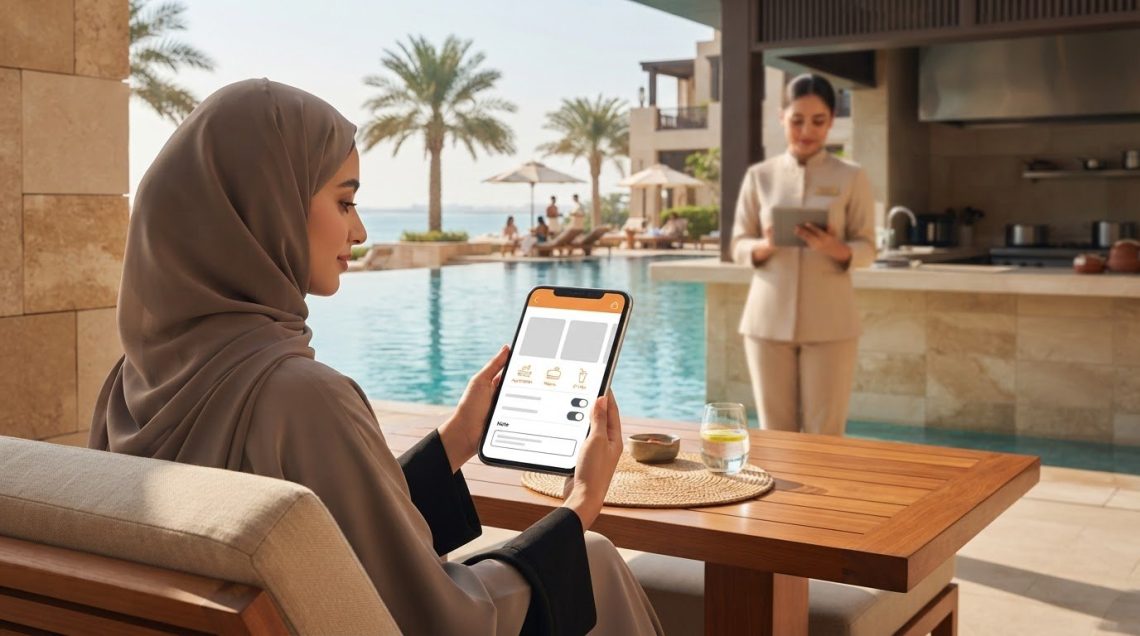
Special requests shouldn’t get lost in a phone call. A hotel mobile ordering app can let guests customise meals and add notes, including dietary needs, when placing an order. Staff then have a clear record of the request, whether it’s for room service or food by the pool.
Guests want an easy way to choose dishes and communicate their needs. This article explains how mobile ordering can handle requests, what to consider when connecting orders with a hotel’s POS and third-party apps, and how digital order details can help staff process requests accurately. It also looks at how ordering workflows can reduce phone calls while keeping the guest experience and daily operations in view.
Key Takeaways
- Guests can browse digital menus and add preferences or dietary notes when ordering room service or poolside.
- Map how order details move between mobile ordering, the hotel POS and any third-party apps to support a consistent workflow.
- Sending clear digital orders to the kitchen can help reduce misunderstandings and limit order-related phone calls.
- Explore how hospitality technology can support guest-facing services and staff workflows across the hotel.
Do guests need a separate app to order room service or from the pool bar?
Not necessarily. A hotel can offer ordering through its guest app or a dedicated platform, giving guests a digital way to browse room-service and poolside menus.
Menu Browsing and In-Room Orders
A hotel mobile ordering app lets guests browse a digital menu, review dish descriptions and images, and place an order from their room. Guests can add preparation preferences or dietary requests before submitting it. Menu details should be easy to scan, and notes should be captured clearly so the kitchen receives the guest’s intended choices.
Payments, Room Charges, Tips, and Split Bills
Ordering platforms may support card or digital-wallet payments, and some hotels let guests charge orders to their rooms. Check how the workflow handles tips and split bills, as these options depend on the platform configuration. In the UAE, software pricing is quoted in AED and depends on the deployment scope, integrations, and required capabilities.
Ordering Across Hotel Locations
A single ordering platform can show room service alongside menus for on-property venues such as pool bars. Guests choose a location, select items, and provide delivery details, helping staff direct each request to the right team. Hotels should define how every outlet receives and fulfils orders, including where guests collect food if room or poolside delivery isn’t available.
Mobile Ordering Platform Capabilities
The platform receives a guest’s selections and sends order details to staff for preparation and fulfilment. For Arabic-language support and multiple currencies, review the available display languages and payment options for the property. Security and privacy depend on how guest and payment data are handled. Food-service workflows should also keep dietary notes and allergen requests visible through preparation and handover.
POS and third-party app integrations
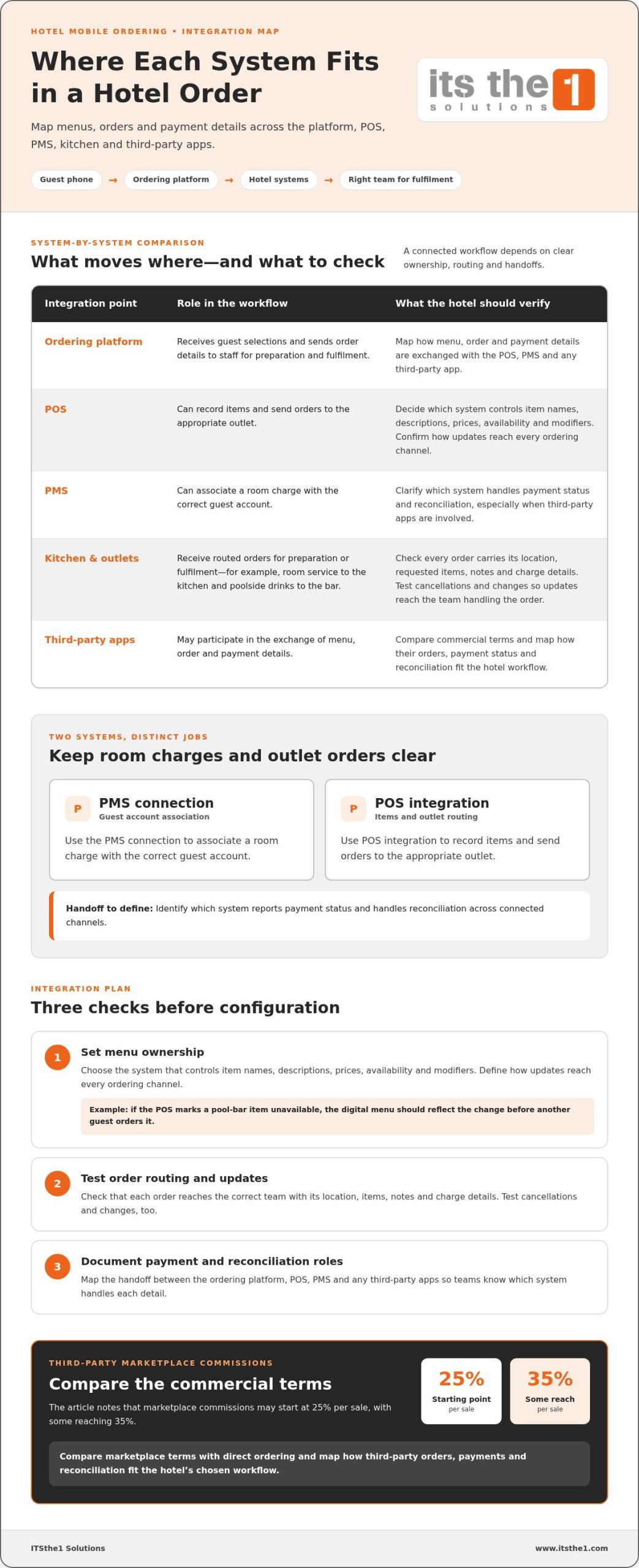
Integration determines whether an order moves smoothly from a guest’s phone to the right team. Map how the ordering platform, POS, property management system (PMS), kitchen, and any third-party app exchange menu, order, and payment details.
Start with menu management. Decide which system controls item names, descriptions, prices, availability, and modifiers, then establish how updates reach every ordering channel. If a pool bar marks an item unavailable in the POS, the digital menu should reflect the change before another guest orders it. This helps prevent conflicting menus and supports accurate revenue reporting.
Next, test order routing. A room-service order may need to reach the kitchen, while a poolside drink should go to the bar. Confirm that each order includes its location, requested items, notes, and charge details. Test cancellations and changes as well, so staff can see updates in the system they use to prepare or fulfil orders.
PMS and POS integrations serve different roles. A PMS connection can associate a room charge with the correct guest account; POS integration can record items and send them to the appropriate outlet. Map which system handles payment status and reconciliation, especially when third-party apps are involved. Those marketplaces may charge commissions starting at 25% per sale, with some commissions reaching 35%, so compare their commercial terms with direct ordering.
For a practical integration plan, document each system and handoff before configuration. Hospitality teams assessing connected operations can explore hospitality technology solutions as a next step.
Improved order accuracy and staff efficiency
Digital order records can reduce errors and cut time spent handling order calls. However, staff still need a clear process for exceptions, such as a guest changing an order verbally.
Order Status Updates and Staff Notifications
Set clear status stages, such as received, preparing, and ready for delivery, so guests can follow progress. Staff notifications should show the order’s location and requested items, such as a drink for a poolside guest. A defined update process helps staff keep information current and gives guests a useful view of their order.
Real-Time Order Delivery to Staff
Digital orders can go directly to the kitchen or relevant outlet, reducing the risk of errors from manual transcription. Route restaurant orders to kitchen staff and pool-bar requests to the beverage team. Include guest instructions in the order record so staff can review them during preparation and handover.
Fewer order-related calls and clearer requests can support guest satisfaction. However, guests without a suitable device or reliable access may need another way to order.
During implementation, train staff to accept, update, and resolve orders in the platform. Test a branded QR code, the guest-facing language, and the workflow for an unavailable dish before launch. A staff-facing hospitality app can support these workflows; explore hospitality app solutions for guest and staff use.
ITSthe1 Solutions: 1.TV – IPTV for Enterprise & Hospitality
ITSthe1 Solutions provides 1.TV – IPTV for Enterprise & Hospitality, supporting hotels that are developing guest-facing digital services alongside room entertainment. Consider this offering when reviewing how in-room screens fit into the property’s wider hospitality technology environment.
For guest and staff app requirements, 1.Hotel – Hospitality App for Guests and Staff is another relevant option. The right next step is to define the guest journey and operational needs, then consider which hospitality technology components align with them. This keeps the focus on the required experience rather than adding tools without a clear role.
To discuss hospitality technology for your property, contact ITSthe1 Solutions or visit www.itsthe1.com.
Plan the Next Step for a More Connected Guest Journey
Before choosing a hotel mobile ordering app, map the guest journey beyond placing an order. Consider how in-room entertainment, property information, and arrival processes fit the digital experience you want to create. This broader view helps teams set priorities and assess how technology can support guests and staff without adding unnecessary complexity.
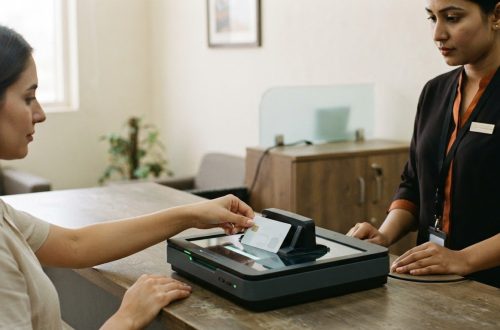
ITSthe1 Solutions offers 1.TV – IPTV for Enterprise & Hospitality, 1.DSMM – Digital Signage & Meeting Room, and 1.ID – Passport & ID Scanning. These offerings address distinct hospitality technology needs, from in-room television to signage and identity scanning. Your operational goals can help determine which capabilities belong in a technology roadmap, without treating every tool as part of the ordering workflow.
For a considered next step, contact ITSthe1 Solutions to discuss your hospitality technology priorities. A clear plan gives your team a practical foundation for shaping the guest experience ahead.
Frequently Asked Questions
Can guests add special requests or dietary notes to an order?
Yes. An ordering interface can let guests add dietary notes or preparation requests before submitting an order, such as asking for sauce on the side or noting a dietary preference. Decide how staff will review and acknowledge these notes so important details remain visible during preparation and handover.
What features should a hotel mobile ordering app include?
Choose features that suit the property’s service flow. Options may include scheduled delivery, saved favourite orders, guest feedback, and an in-app way to contact staff. For example, a returning guest could quickly select a saved breakfast order. Prioritise tools that serve your outlets and guests rather than adding features without a clear purpose.
Which hotel mobile ordering apps are best for hotels in the UAE?
The best fit is the platform that matches your property’s guest journey, outlet setup, and operating systems. Compare how it handles guest access, service locations, language presentation, payment choices, and staff workflows. ITSthe1 Solutions offers 1.Hotel – Hospitality App for Guests and Staff and 1.Menu – Digital Menu as relevant hospitality technology offerings; assess each against your ordering requirements.
How can a hotel integrate mobile ordering with its POS, PMS, and payment systems?
First, document what information each system needs to exchange, such as room identification, order details, outlet, and payment status. Then test realistic transactions, including a room charge, a cancelled order, and an unavailable menu item. Review the records with front-desk, finance, and food-service teams to catch mismatches before guests use the workflow.
How do hotels set up and launch mobile ordering for guests?
Set a clear scope, such as room service and one poolside outlet, then prepare menus, service instructions, and staff responsibilities. Test the guest journey on common devices, including order changes and questions to staff. Train each team on its role, inform guests through suitable on-property channels, and gather feedback after launch to guide improvements.