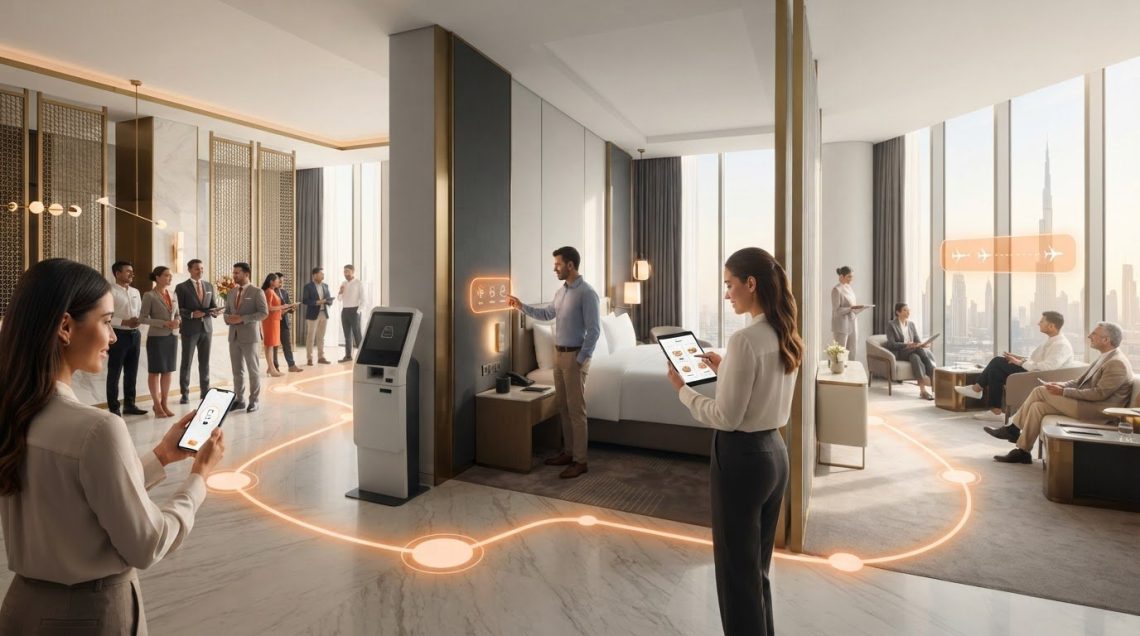
A seamless stay feels like one continuous experience, not a series of disconnected handoffs between booking, arrival, the room and departure. When hotel teams and digital systems work in silos, even well-intended service can feel inconsistent. Learning how to create a seamless guest journey starts with seeing each interaction from the guest’s perspective, then fixing the points where the next step is unclear or difficult.
This guide shows you how to map guest touchpoints, identify friction and prioritize improvements for guests and hotel teams. It also explains how tools such as guest apps, ID scanning, digital menus and in-room services can support mapped needs and connect with existing hotel systems. The goal is a coherent experience where technology supports personal hospitality instead of adding complexity.
Key Takeaways
- Learn how to create a seamless guest journey by connecting service moments before, during and after a stay.
- Map a specific guest segment’s touchpoints to reveal where interactions become difficult or inconsistent.
- Prioritize friction points by recording their effect on guests, the responsible team, the current system and a practical next step.
- Match tools such as 1.ID, 1.Hotel and other hospitality technology to identified needs, rather than adding complexity without a clear purpose.
What a Seamless Guest Journey Means Across the Hotel Experience
A seamless guest journey is a connected, consistent set of interactions before, during and after a stay. From the guest’s perspective, each touchpoint should make the next step clear, whether they’re researching a property, speaking with staff or using a digital service. Understanding the broader idea of Understanding the Customer Journey helps hotels see how impressions build across multiple interactions. That perspective is central to how to create a seamless guest journey.
A guest journey map and an internal process map answer different questions. The guest journey records what a traveller experiences, including questions, delays and repeated requests. An internal process map shows which teams and systems handle each interaction. Compare the two to spot handoffs that make sense to staff but leave guests unsure what to do next. Technology can support those handoffs, while staff provide judgement, reassurance and personal attention.
Which stages belong on a hotel guest journey map?
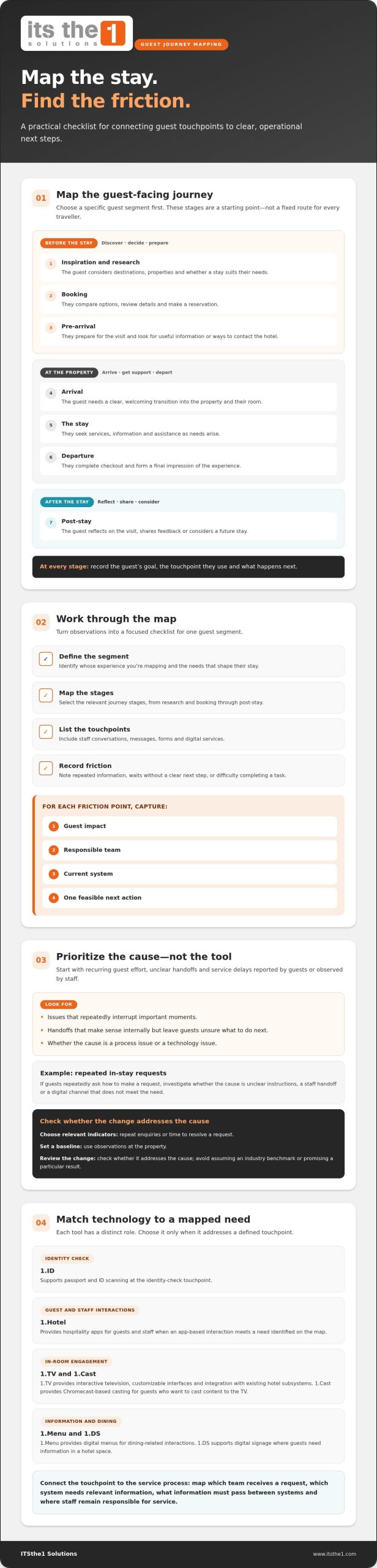
Map the guest-facing touchpoints that apply to your property and chosen guest segment. Not every traveller follows the same route or uses the same channels, so treat these stages as a starting point rather than a fixed sequence.
- Inspiration and research: The guest considers destinations and properties, and whether a stay suits their needs.
- Booking: They compare options, review details and make a reservation.
- Pre-arrival: They prepare for the visit and look for useful information or ways to contact the hotel.
- Arrival: They need a clear, welcoming transition into the property and their room.
- The stay: They seek services, information and assistance as needs arise.
- Departure: They complete checkout and form a final impression of the experience.
- Post-stay: They reflect on the visit, share feedback or consider a future stay.
For each stage, record the guest’s goal, the touchpoint they use and what happens next. This makes it easier to connect a confusing moment with the team or process responsible for resolving it.
How to Map Guest Touchpoints and Prioritize Journey Improvements
A useful map turns guest observations into operational next steps. Focus on one guest segment, such as families or business travellers, so different expectations don’t disappear in a broad average. Then work through this sequence:
- Define the segment: Identify whose experience you’re mapping and the needs that shape their stay.
- Map the stages: Select the relevant journey stages, from research and booking through post-stay.
- List the touchpoints: Record each interaction, including staff conversations, messages, forms and digital services.
- Record friction: Note where guests repeat information, wait without knowing what happens next, or struggle to complete a task.
For each friction point, document the guest impact, responsible team, current system and one feasible next action. For example, if guests repeatedly ask how to make an in-stay request, determine whether the cause is unclear instructions, a staff handoff or a digital channel that doesn’t meet the need. Choose indicators that match the intended improvement, such as repeat enquiries or time to resolve a request. Establish a baseline from observations at the property, then review whether the change addresses the cause. Avoid assuming an industry benchmark or promising a particular result.
How can hotels decide which journey gaps to address first?
Start with recurring guest effort, unclear handoffs and service delays reported by guests or observed by staff. Prioritize issues that repeatedly interrupt important moments, then distinguish process causes from technology causes. A request may be delayed because ownership is unclear, not because the hotel needs another tool. Once you understand the cause, decide whether a guest-facing app would make the interaction clearer. The hotel guest engagement app guide offers related context. Consider hospitality technology solutions in relation to the specific journey need, not as a substitute for a defined service process.
How Connected Hospitality Technology Can Support the Guest Journey
Technology is most useful when it addresses a guest need identified on the journey map. Match each tool to a specific touchpoint, then consider how staff and existing systems support that interaction. This keeps the focus on service rather than adding tools simply because they are available.
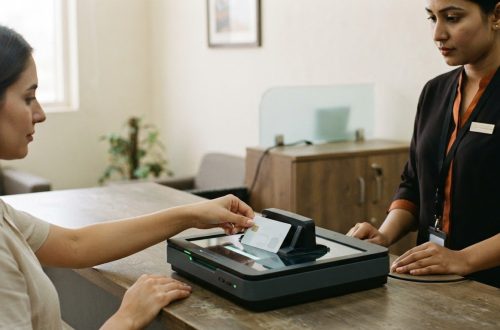
- Identity scanning: 1.ID supports passport and ID scanning at the identity-check touchpoint.
- Guest and staff interactions: 1.Hotel provides hospitality apps for guests and staff. It may be relevant when an app-based interaction meets a need identified on the map.
- In-room engagement: 1.TV provides interactive television, with middleware that allows customized interfaces and integration with existing hotel subsystems. 1.Cast provides Chromecast-based casting for guests who want to cast content to the TV.
- Information and dining: 1.Menu provides digital menus for dining-related interactions, while 1.DS supports digital signage where guests need information in a hotel space.
These tools have distinct roles. Choose only those that address a defined touchpoint, and consider how each interaction connects to the relevant service process.
How can hotels connect digital touchpoints without adding unnecessary complexity?
Start with the guest-facing and operational systems already in use. Map the handoffs each touchpoint requires, such as which team receives a request and which system needs relevant information. Identify what information must pass between systems, and where staff remain responsible for service. For a focused example of connecting IPTV with hotel systems, see the hotel PMS and IPTV integration guide. A touchpoint-first approach clarifies how to create a seamless guest journey without introducing technology that lacks a clear purpose.
Explore ITSthe1 hospitality technology solutions as you consider tools that align with your mapped guest interactions.
Turn Your Journey Map Into a Practical Next Step
Choose one guest interaction that matters and make improving it a shared priority for service and technology teams. Observe how it works now, identify the people and systems involved, and agree on a practical change. Review the result and refine the process as guest needs evolve. This makes how to create a seamless guest journey an ongoing service improvement, not a one-time technology project.
ITSthe1 Solutions brings more than 20 years of expertise in IPTV and related hospitality technologies. Its hospitality services include consultancy, turnkey implementation, maintenance contracts and ongoing support. 1.TV supports customized interfaces and integration with existing hotel subsystems, helping hotels align technology decisions with their service objectives.
Explore ITSthe1 Solutions hospitality technology solutions and take the next step toward a more connected guest experience. Start with a clear priority and build from there.
Frequently Asked Questions
What are the main stages of a hotel guest journey?
A hotel guest journey commonly spans discovery and research, reservation, pre-arrival planning, arrival, the on-property experience, departure and post-stay follow-up. Treat these as prompts rather than a rigid sequence. A returning guest may bypass research, while a conference attendee may book through a group organiser. Note where paths differ so the hotel can tailor communication to the way each guest arrives.
How do you measure whether a guest journey is seamless?
Measure the objective behind a specific improvement rather than trying to score the entire stay with one number. If the aim is to reduce repeated questions, track repeat enquiries on that topic. If the aim is to clarify a request process, review completion and resolution records alongside guest feedback. Establish a baseline for the relevant guest segment, then compare observations over time. This makes how to create a seamless guest journey a practical, testable effort.
Can hotel technology improve the guest journey without replacing staff?
Yes. Technology can make information or routine interactions easier to access, while staff remain essential for judgement, reassurance and requests that need personal attention. For example, a guest app can support a digital interaction, while employees handle a special request that calls for context. The useful test is whether a tool supports the service team and gives guests a clear option, not whether it removes human contact.
What is the difference between a guest journey map and a service blueprint?
A guest journey map focuses on what the guest experiences, including their actions, questions and perceptions at each interaction. A service blueprint adds the delivery structure behind those moments: visible staff actions, backstage work and supporting systems. For example, a guest map may show a request for an amenity; a blueprint can trace how staff receive, assign and fulfil it. Used together, they connect experience design with service operations.