A digital menu alone won’t create a seamless in-room dining experience. For hotels, improving in-room dining experience with technology starts with the full guest-to-staff journey: how guests find dining information and make a request, and how teams receive and manage it. If a menu is hard to find or a request passes through unclear handovers, a digital interface by itself may not address the problem.
The right approach depends on the hotel’s service model and existing systems. This article explains how to map each stage of the journey and compare options such as digital menus, guest and staff apps, and interactive TV systems, including 1.Menu, 1.Hotel and 1.TV. It also covers how to plan around existing hotel subsystems, define a manageable staff workflow and align the guest experience with brand standards. Use the framework to assess what each option needs to do in your operation before treating technology as a standalone upgrade.
Key Takeaways
- Map every stage of the in-room dining journey to find friction, from menu discovery to staff handover.
- Improving in-room dining experience with technology starts with understanding staff workflows and existing hotel systems before choosing guest-facing tools.
- Compare digital menus, guest and staff apps, and interactive TV systems against the hotel’s service model and brand presentation.
- Plan implementation in phases: define requirements, configure the experience, test workflows and prepare staff to use the new process.
Why improving the in-room dining experience with technology starts with the guest journey
In-room dining is a sequence of connected moments, not simply a menu and a meal. A guest needs to find the available dining information, decide what they want, submit a request and understand what happens next. Staff need a clear process for receiving and handling that request. As the Room service overview describes, hotel service also depends on operational steps behind the guest experience. Mapping both sides helps teams identify where information or responsibility may get lost.
Friction can appear before a guest makes a request if the menu is difficult to find or review. A guest may also be unsure how to submit a request or whether it has reached the right team. On the staff side, a request may pass between people or systems, so each handover needs a clear owner. Improving in-room dining experience with technology means assessing these moments as one journey, rather than assuming a digital interface alone will resolve them.
Which technologies can support an in-room dining journey?
Digital tools can present dining information or provide guest and staff interfaces at different points in the service journey. Define the intended role of each option before comparing products:
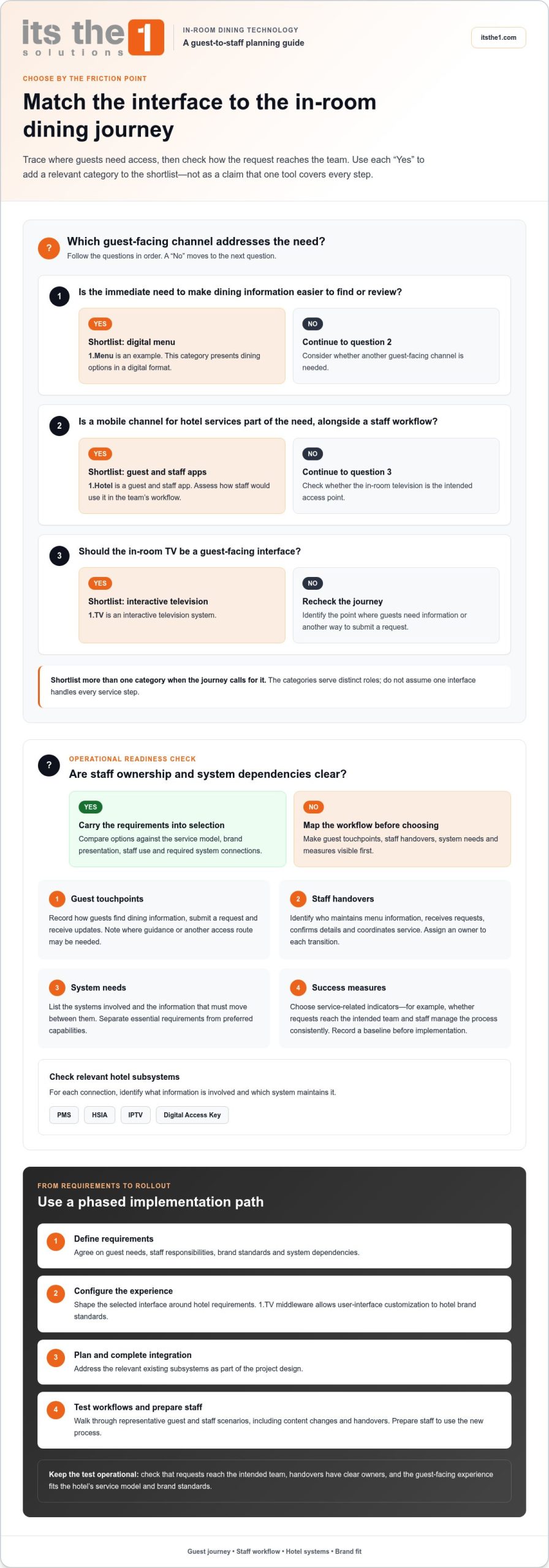
- Digital menus provide a digital format for presenting dining options. 1.Menu is an example of this category.
- Guest apps provide a mobile channel for hotel services, while staff apps may form part of the team’s workflow. 1.Hotel is a guest and staff app.
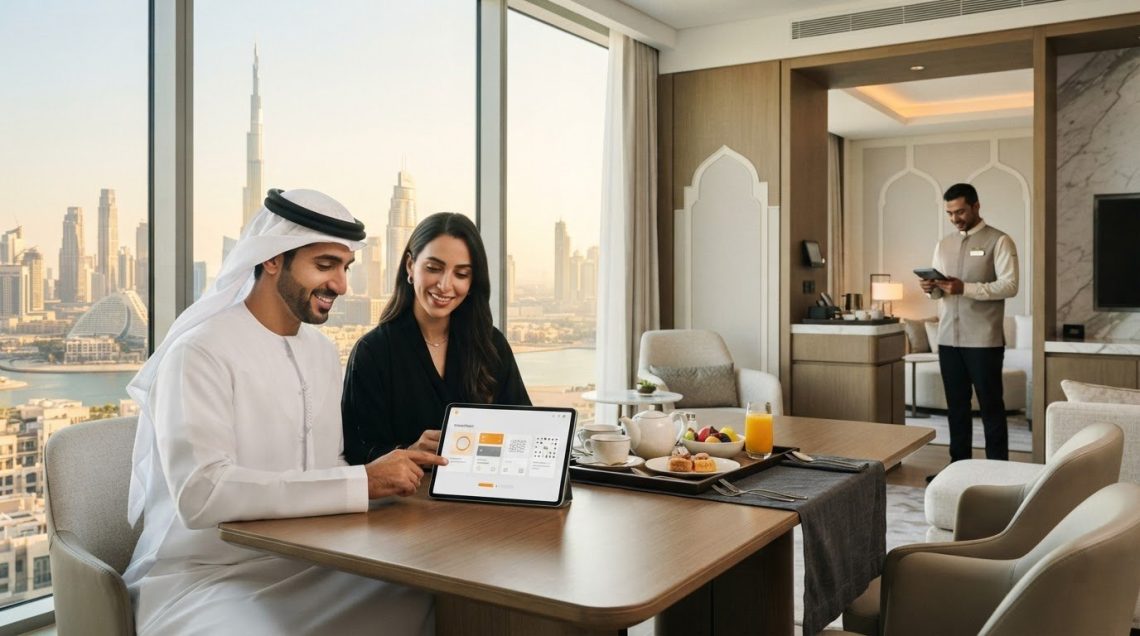
- Interactive television uses the in-room TV as a guest-facing interface. 1.TV is an interactive television system.
These categories are distinct, and their place in the journey should be clear before selecting tools. For example, decide whether the immediate need is to make dining information easier to find, offer another guest-facing channel, or align the experience with the in-room TV. Then consider how the option fits the hotel’s service model, brand presentation and existing subsystems. Don’t assume one interface handles every step.
How to plan an in-room dining technology workflow that staff can manage
Guest-facing tools should fit the way dining service is delivered, not dictate a new process by default. Improving in-room dining experience with technology starts by making staff responsibilities, system dependencies and guest needs visible before choosing an interface.
Map the workflow first. This shows who owns each action, where handovers occur and which systems are involved, giving the team practical requirements to use when evaluating technology.
- Map guest touchpoints. Record how guests find dining information, submit a request and receive any updates. Note where they may need guidance or another way to access the information.
- Document staff handovers. Identify who maintains menu information, receives requests, confirms details and coordinates service. Assign an owner to each transition so requests do not sit between teams.
- Define system needs. List the hotel systems involved and the information that needs to move between them. Separate essential requirements from preferred capabilities.
- Set practical success measures. Choose service-related indicators, such as whether requests reach the intended team and whether staff can manage the process consistently. Record a baseline before implementation so the team has a point of comparison.
How should a hotel assess workflow and system fit?
Start with ownership. Assign responsibility for keeping menu information accurate, receiving requests and coordinating fulfilment. Then document the connection points the workflow requires and assess how they fit existing hotel subsystems, including PMS, HSIA, IPTV and Digital Access Key. For each connection, identify what information is involved and which system is responsible for maintaining it. This gives the technology discussion an operational context and helps distinguish a guest-facing improvement from a back-office requirement.
For a joined-up project approach, hotels can explore hospitality technology solutions alongside their workflow and system requirements.
How to select and implement in-room dining technology around hotel operations
Select technology against the operating model, not just the guest interface. Compare digital menus, guest and staff apps, and interactive television by where guests access them, how teams will use them, how the experience can reflect hotel brand standards, and which existing systems need to connect. 1.Menu, 1.Hotel and 1.TV represent these respective categories. Assess each option against a specific use case without assuming one tool covers every service step.
What should a hotel include in its technology decision?
Set out the decision criteria before configuration begins. Consider the hotel’s brand presentation and required connections with subsystems such as PMS, HSIA, IPTV and Digital Access Key. Assign ownership for menu and service content, staff guidance, maintenance and ongoing support. Clear responsibilities help teams plan for the work after rollout, not only the launch itself.
A phased implementation gives operational teams defined points to review and refine the approach:
- Define requirements. Agree on guest needs, staff responsibilities, brand standards and system dependencies.
- Configure the experience. Shape the selected interface around the hotel’s requirements. 1.TV middleware allows user-interface customization to hotel brand standards.
- Plan and complete integration. Address the relevant existing subsystems as part of the project design.
- Test workflows. Walk through representative guest and staff scenarios, including content changes and handovers. Resolve issues before wider rollout.
- Support adoption. Prepare staff guidance and establish who manages content, maintenance and ongoing support.
Improving in-room dining experience with technology is an operational project as well as a guest-experience decision. ITSthe1 Solutions’ hospitality approach includes consultancy, turnkey implementation, maintenance contracts and ongoing support, aligned to project needs. Hotels planning this work can explore hospitality technology solutions as part of their assessment.
Turn your dining journey plan into a practical next step
Use your mapped requirements to set a clear priority for the next phase. Identify a guest or staff need to address, the system dependencies it touches and how the team will review the proposed workflow before rollout. Improving in-room dining experience with technology should address a defined operational need, not become an end in itself. A shared plan gives hotel stakeholders a practical basis for evaluating changes as service expectations and systems evolve.
With more than 20 years of expertise in IPTV and related hospitality technologies, ITSthe1 Solutions can support hotels as they consider their next steps. Explore ITSthe1 Solutions hospitality technology solutions to discuss an approach suited to your operation.
Frequently Asked Questions
How can technology improve the in-room dining experience?
Technology can make dining information easier to access and help define how staff receive and coordinate guest requests when the chosen approach fits the hotel’s workflow. Improving in-room dining experience with technology starts with deciding what information guests need at each point and which team owns the next action. For example, document who updates item availability and who handles a guest’s request for clarification.
Which technology is best for in-room dining in a hotel?
The best option is the one that fits the hotel’s service model and how guests need to access information. A digital menu, guest app or interactive TV may serve different purposes, so compare each against a specific use case. Identify whether the priority is menu visibility, access through a guest channel or consistency with the hotel’s in-room interface.
Can a hotel integrate dining technology with its existing systems?
Yes. ITSthe1 Solutions’ hospitality solutions can integrate with existing hotel subsystems, including PMS, HSIA, IPTV and Digital Access Key. For planning, identify what information needs to pass between systems and which system remains the authoritative source. This helps the team define the intended connection and assess its role in the overall service workflow.
How do hotels encourage staff to use new dining technology?
Involve the staff who will use the system in planning and testing, then provide role-specific guidance before rollout. A practical training exercise could follow a sample request from the moment it reaches the team through to the handover for service. Give staff a clear route for reporting workflow issues, then review their feedback to refine training and procedures.